Returning an Order
To return an order, follow these steps:
1. Navigate to the Order Status tool at the top of the website and log in or enter your order number and account code or email.

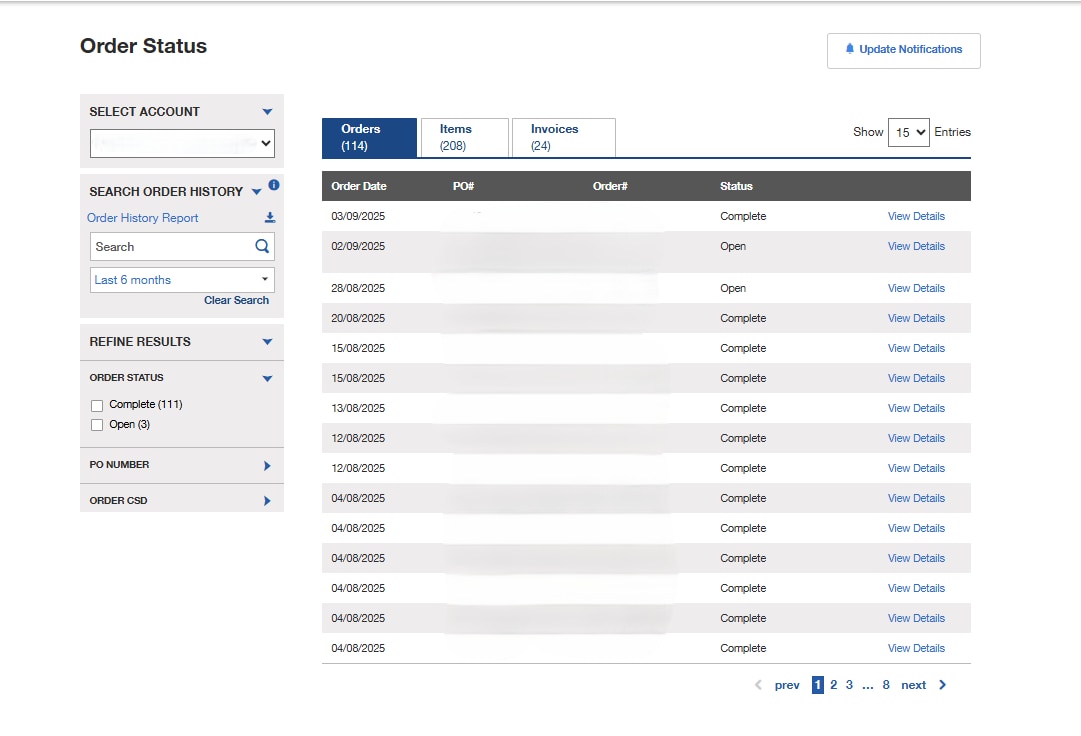
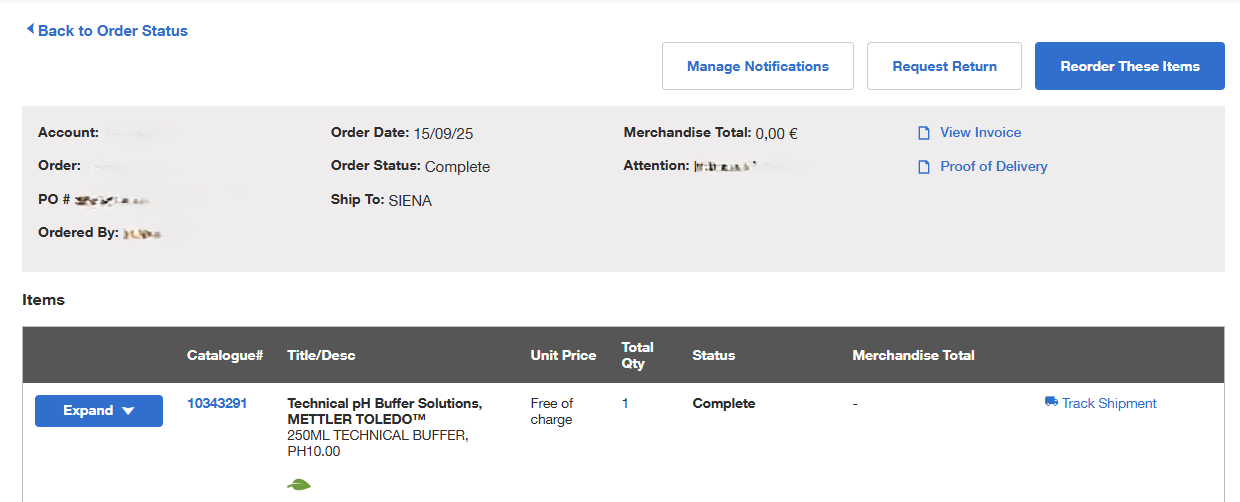
2. Once you select an order, you will be brought to a page with your order details. Select the "Request Return" link at the top of the page. The link will only appear if the order is eligible for return.
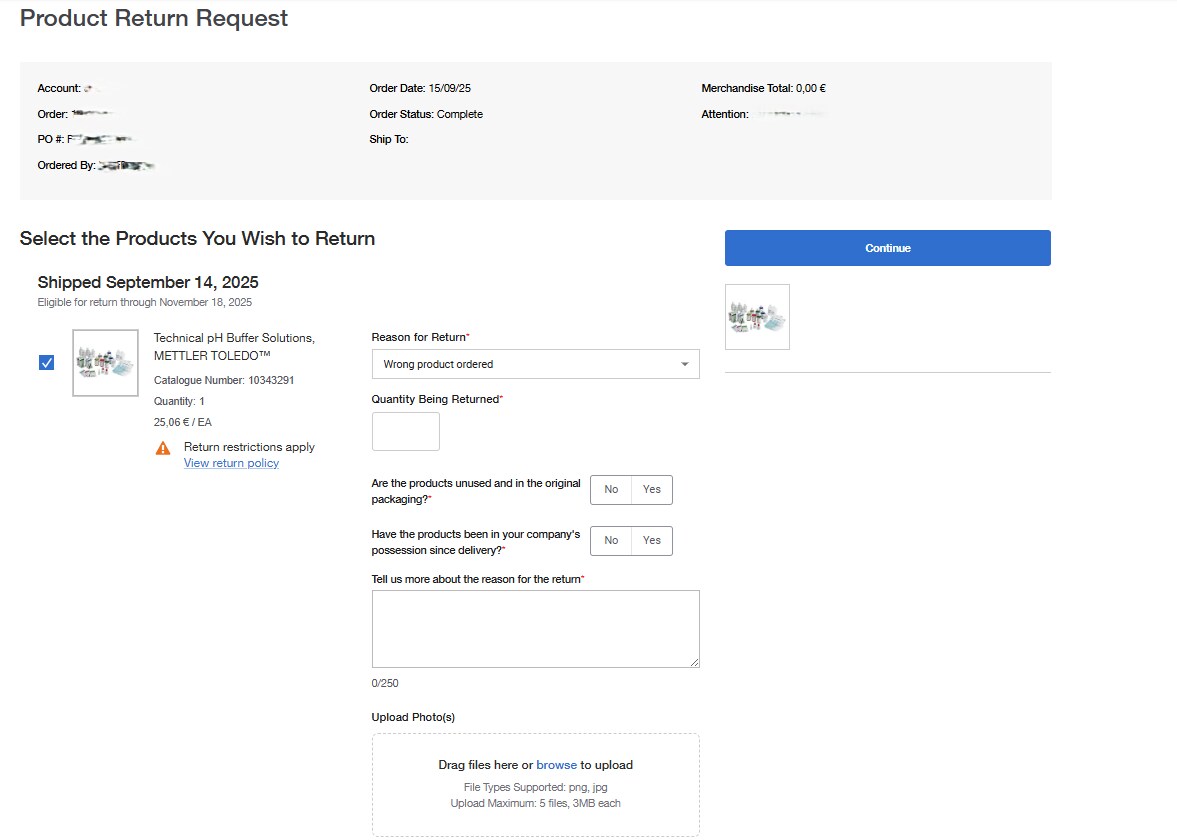
3. Select the item(s) to return, specify the quantities, choose the reason for the return and complete the additional fields. Photos are only required if the reason for the return is that the shipping container is damaged, or the product is damaged.
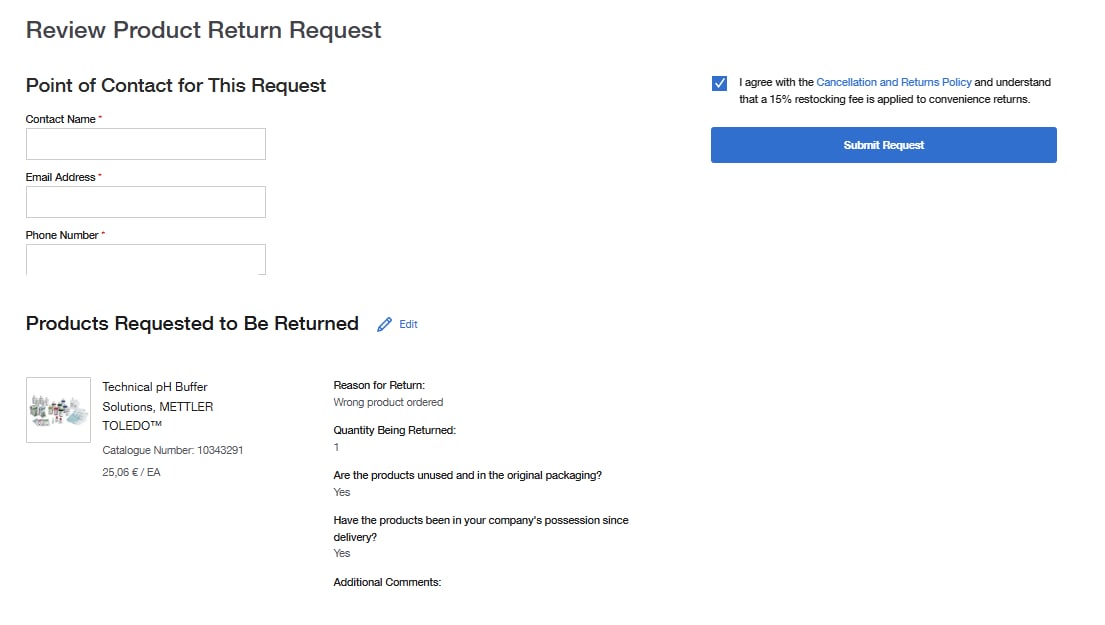
4. Select "Continue" and enter your contact information if it is not prepopulated. Check the box to acknowledge the return policy. After submitting your request, you will see a confirmation screen and receive a confirmation email. Once your request is reviewed, you will be contacted within 48 hours.
More Related Help Topics
Placing an Order
Managing Orders
Returns & Refunds
Shopping Tools
Still can’t find an answer?
Help is on the way! Click an option below to chat with support